Watch a toddler use a well-designed learning app and you'll notice something: their eyes follow the cues. A gentle glow highlights the next button to press. A small animation confirms when they've succeeded. A visual trail shows which direction to swipe.
These visual indicators might look like decorative flourishes, but they're actually sophisticated learning tools grounded in decades of cognitive science research. Here's why those little sparkles and highlights matter more than you might think.
The Attention Problem
Toddlers have notoriously short attention spans—and for good reason. Their brains are designed to constantly scan their environment for new information. This serves them well in the real world, where novelty often signals something important.
But it creates challenges for sustained learning. When you're trying to teach a specific skill—like practicing speech sounds—you need to direct and hold attention on relevant information while filtering out distractions.
This is where visual cues become powerful. A 2022 study published in the Journal of Applied Developmental Psychology found that toddlers using apps with clear visual attention cues stayed focused on learning tasks 47% longer than those using apps without such cues.
The researchers noted something interesting: the visual cues didn't need to be elaborate. Simple highlights, gentle animations, and clear focal points were most effective. Overly flashy effects actually decreased sustained attention.
Dual Coding: The Memory Advantage
One of the most robust findings in cognitive science is dual coding theory: information encoded through multiple sensory channels is remembered better than information encoded through a single channel.
When a child hears the word "truck" while seeing a picture of a truck, they're building two memory traces—auditory and visual. These traces reinforce each other, making recall easier.
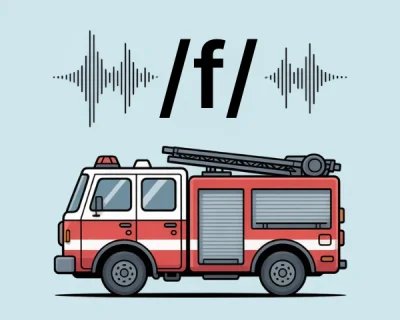
Now add visual feedback to the mix. In Talk & Listen, when a child successfully repeats a sound, they see a gentle visual confirmation. This creates a third memory trace: the connection between their action (speaking) and the outcome (success indicator). This multisensory approach is part of why vehicle-powered learning is so effective for speech development.
A 2021 meta-analysis in Educational Psychology Review examined 43 studies on multisensory learning in early childhood. The conclusion: children who received visual + auditory + action-based feedback showed significantly better retention than those who received only auditory feedback.
Translation for parents: That sparkle when your child says "truck" correctly? It's not just praise—it's a memory-strengthening cue that helps their brain file the success away for future reference.
The Confidence Factor
Here's something subtle but important: visual indicators provide feedback without requiring adult intervention.
Think about traditional speech practice. A child attempts a sound, looks at the parent or therapist for confirmation, receives verbal feedback ("Good job!" or "Try again"), and processes that social interaction before moving on.
This works, but it has limitations:
- It requires constant adult attention
- The child becomes dependent on external validation
- There's delay between action and feedback
- Social pressure can increase anxiety
Visual indicators offer an alternative feedback loop. The app provides immediate, consistent, non-judgmental confirmation. The child knows instantly whether they succeeded, without needing to read an adult's face or interpret tone of voice.
For some children—especially those who are perfectionistic or anxious about being evaluated—this removes a layer of pressure. They can practice, fail, and try again without feeling watched or judged.
A 2023 study in Child Development found that children using apps with visual feedback showed more willingness to attempt challenging tasks and persisted longer after errors compared to children receiving only verbal feedback from adults.
Guiding Without Controlling
Well-designed visual cues guide behavior without controlling it. There's an important distinction here.
Controlling design forces specific actions: "You must tap this button now." It removes agency and can feel coercive, especially to toddlers who are developmentally driven to assert autonomy.
Guiding design suggests actions: "This button might be interesting." It preserves choice while making helpful options clear.
In Talk & Listen, visual indicators gently highlight interactive elements without demanding interaction. A child can choose to tap the vehicle card, or they can simply look at it. The cue says "this is available" rather than "you must do this."
This respect for autonomy matters for intrinsic motivation. Research on self-determination theory consistently shows that children who feel autonomous in their learning show more sustained engagement and better outcomes than children who feel controlled.
What Makes Visual Indicators Effective?
Not all visual cues are created equal. Based on research and SLP consultation, effective indicators share certain characteristics:
They're predictable and consistent
The same visual cue always means the same thing. This helps children learn the system quickly and reduces cognitive load.
They're subtle, not overwhelming
Gentle glows and small animations work better than large, flashy effects. The goal is to guide attention, not hijack it.
They're purposeful, not decorative
Every visual cue serves a learning function—directing attention, confirming success, showing progress. Random animations add noise without value.
They're temporary
The best cues appear when needed and fade when they're not. Persistent visual clutter competes with the primary learning content.
They're accessible
Visual indicators work for children with different vision capabilities when designed with sufficient contrast and size.
Visual Indicators Across Learning Stages
The role of visual cues changes as children develop:
Early exploration (18-24 months)
Visual cues primarily direct attention: "This is what you can interact with."
Skill building (24-36 months)
Visual cues provide feedback: "You did it correctly!"
Independent practice (36+ months)
Visual cues support self-assessment: "You're making progress."
Good app design accommodates all these stages, using visual indicators flexibly based on the child's current needs.
Beyond the Screen
The principles of visual cueing aren't limited to apps. You can apply them in physical learning environments too:
- Use colored tape or stickers to mark where materials belong
- Create visual schedules with pictures showing daily routines
- Point to objects while naming them to direct visual attention
- Use gestures and exaggerated facial expressions to highlight important information
- Celebrate success with physical markers (stickers, stamps) that children can see
These real-world visual strategies work for the same reasons digital ones do: they guide attention, reinforce memory through multiple channels, and provide clear feedback.
The Thoughtful Design Question
As a parent evaluating apps, it's worth asking: Are the visual elements purposeful or purely decorative?
Apps that use visual indicators thoughtfully:
- Have clear, consistent cueing systems
- Use animation to guide or reinforce, not just to entertain
- Provide feedback that's immediate and meaningful
- Minimize visual clutter and distractions
- Respect the child's pace and autonomy
Apps that use visuals poorly:
- Bombard with constant movement and effects
- Use inconsistent or confusing cues
- Prioritize flashiness over learning
- Provide delayed or ambiguous feedback
- Control rather than guide
The difference isn't always obvious at first glance, but watching how your child engages will tell you. Do they seem focused or overstimulated? Empowered or frustrated? Engaged or passive?
The Bottom Line
Visual indicators are more than digital decoration. When designed with intention and grounded in learning science, they serve as attention guides, memory enhancers, confidence builders, and autonomy supporters.
That gentle sparkle when your toddler says "fire truck" correctly? It's creating a multisensory memory trace, providing immediate feedback, building confidence, and motivating the next attempt.
It's not magic—it's cognitive science, translated into child-friendly design.
Further Reading
- Talk & Listen App - Visual feedback system designed for speech practice
- Why 'Vroom' and 'Beep' Are Secret Weapons for Toddler Speech - Multisensory learning through sound-symbolic words
- Supporting Your Child's Natural Interests - Intrinsic motivation and autonomy in learning
 Frequently Asked Questions
 Ad-free & offline ready