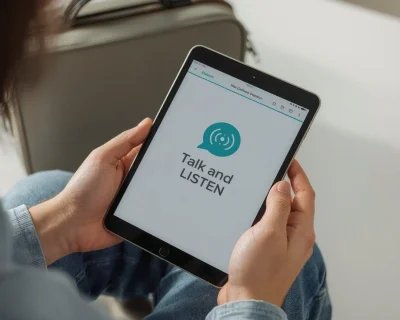
The goal with sensory‑friendly apps is not more screen time—it’s better screen time. Choose quiet, repeatable activities with clear feedback, so your toddler can feel in control rather than overwhelmed.
What are the best sensory-friendly apps for toddlers?
Choose predictable, low‑stim apps with single‑tap actions and steady audio. Examples many families like: simple matching/sorting, tap‑to‑play music pads, and short step‑by‑step routines (no ads or surprise pop‑ups).
What “Sensory‑Friendly” Looks Like
- Consistent, low‑contrast visuals and minimal on‑screen elements
- Clear, non‑startling sounds with a steady volume
- Single‑purpose screens and large tap targets
- Immediate, predictable results for each tap or drag
- No ads, countdowns, surprise pop‑ups, or loot boxes
Calm Activity Ideas That Work Well
Quiet Matching & Sorting
One screen, one goal—match vehicles by type or color. Repeating simple categories helps many toddlers regulate.
- Look for: large targets, gentle success sounds, short rounds
- Helps with: attention, categorization, confidence
Tap‑to‑Play Music Pads
Big buttons that trigger soft sounds or loops. No scores, no timers—just exploration.
- Look for: volume‑balanced sounds, easy mute, no flashing effects
- Helps with: sensory regulation, cause‑and‑effect, creativity
Simple, Repetitive Routines
Predictable steps like “wash the car,” “refuel,” or “load the bus.” Routine language (first, next, last) supports calm and independence.
- Look for: 3–4 steps, clear prompts, same outcome each time
- Helps with: sequencing, language, confidence
Using Our Apps Thoughtfully
Talk & Listen (Little Wheels)
- Why it’s helpful: clear audio labels, single‑tap controls, repeatable cause‑and‑effect
- Best for: short language bursts during calm‑down windows
Create & Play (Little Wheels)
- Why it’s helpful: mess‑free art with big tools and an undo that encourages low‑stress exploration
- Best for: quiet independent play when your child wants control but fewer surprises
Free Printable Activities
Download our free vehicle learning pack with coloring pages, matching games, and speech practice cards.
Get free printables →Signs It’s Time to Pause
- Breathing speeds up, shoulders rise, or tapping becomes frantic
- Volume‑seeking (turning sounds up) or screen‑fixation
- Frustration when outcomes change unexpectedly
Apps can be one tool among many. If overwhelm is frequent, consider checking in with a pediatrician or occupational therapist. They can help tailor strategies to your child’s needs.
Setup Tips
- Guided Access on iPhone to lock one app
- Lower brightness; use warmer color temperature in the evening
- Keep sound consistent and avoid sudden effects
- Use short sessions and end on success
Related Guides
- Best Offline Toddler Apps — for low‑connectivity calm‑down moments
- Why Repetition Helps Toddlers Learn — repetition reduces cognitive load
- Child‑Led Screen Time Guidelines — gentle, child‑led approaches