How can I evaluate a toddler app in about 10 minutes before my child or class uses it?
Start with a quick 10-minute audit: check the business model (one-time purchase or nonprofit, not 'free with ads'), scan screenshots for calm design and real content depth, read a handful of critical reviews for red flags like manipulation or COPPA issues, and then do a short self-test where you tap everything, look for interruptions, and see whether it works offline. If it passes that 10-minute check and fits your non-negotiables—ad-free, clear purpose, offline, no subscriptions—it is worth letting your child or classroom try it. If you feel uneasy at any step, skip it and move on to a better option.
The app store shows 50 toddler apps. Some are free. Some cost $4.99. Some have 5-star ratings. Some have thousands of reviews. How do you know which are actually good? Which will engage your child without exploiting them? Which deliver genuine value versus manipulative junk wrapped in cute graphics?
You need a framework for evaluation. Specific criteria that separate quality from junk. This guide provides exactly that—the checklist quality app evaluators use.
Master this framework, and you'll never waste money on exploitative apps again.
The Quality App Evaluation Framework
Seven categories determine app quality. Assess each before downloading.
Category 1: Developmental Purpose
Quality apps have clear, articulated purposes aligned with child development.
Green flags (quality indicators):
- Specific purpose statement: "Speech practice through vehicle play" or "Open-ended creative exploration"
- Developmental goals explained: Developer articulates what skills the app supports
- Age-appropriate focus: Narrow age range (2-4 years) not vague "ages 2-10"
- Research or methodology mentioned: References to Montessori-inspired or other evidence-based early childhood frameworks, and developmental psychology
Red flags (quality concerns):
- Vague claims: "Complete learning solution" or "Everything your child needs"
- No stated purpose beyond "educational" or "fun"
- Impossibly broad age range suggesting unfocused content
- Marketing speak over substance: "Revolutionary!" without explaining what or why
Example evaluation:
Little Wheels Talk & Listen states: "Speech development through vehicle-focused pronunciation practice. Designed for late talkers and toddlers (ages 2-4) building expressive vocabulary." Clear purpose, specific age, developmental focus. ✅
Category 2: Content Depth
Quality apps have substantial content justifying repeated use.
Green flags:
- Quantified content: "100+ vehicles" or "50 interactive activities"
- Progression mentioned: Content organized by difficulty or skill level
- Multiple interaction types: Varied ways to engage with content
- Reviews mentioning replay value: "We've used this for months" in reviews
Red flags:
- No content quantity mentioned—suggests minimal content
- "Unlimited content!" that's actually locked behind paywalls
- Single interaction type—tap and watch
- Reviews mentioning "finished in one day" or "gets boring quickly"
How to assess from app store:
- Count distinct content items visible in screenshots
- Look for progression indicators (levels, tiers, categories)
- Search reviews for "replay," "boring," "exhausted," "months"
Category 3: Design Quality
Quality design enhances learning; poor design interferes.
Green flags:
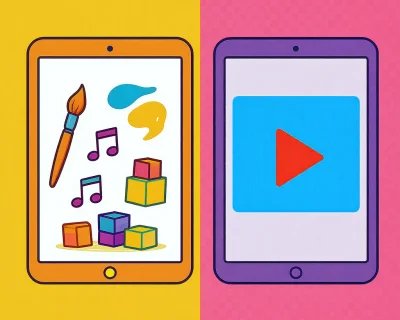
- Calm color palette: Harmonious colors, not garish primaries
- Generous white space: Elements have room to breathe
- Clear visual hierarchy: Obvious what's important
- Custom graphics: Unique illustrations, not obvious stock images
- Consistent style: Unified visual language across screenshots
Red flags:
- Garish, neon colors competing for attention
- Cluttered interfaces with elements jammed together
- Inconsistent visual styles suggesting cobbled-together assets
- Obviously generic stock graphics or clipart
- Flashing elements or aggressive visual stimulation
Screenshot analysis:
Look at app store screenshots side-by-side. Quality immediately stands out: calm, clear, thoughtful. Poor quality screams: chaotic, cluttered, cheap.
Category 4: Monetization Model
How apps make money reveals values and predicts manipulation.
Green flags (ethical models):
- One-time purchase: Pay once, own forever
- Clear pricing: "$4.99" stated prominently
- "No ads" or "No in-app purchases" stated: Developer proud of ethical choice
- Nonprofit model: Khan Academy Kids approach
Red flags (manipulative models):
- "Free" with in-app purchases—always means manipulation
- Subscription model—monthly charges for content that should be one-time
- Consumable currencies—gems, coins requiring repeated purchase
- Tiered premium levels—complexity suggests hidden costs
- "Remove ads" as in-app purchase—ads shouldn't exist in kids' apps
Business model analysis:
One-time purchase = developer trusts quality to drive sales. Freemium/subscription = developer depends on manipulation to drive revenue. Choose accordingly.
Category 5: Developer Reputation
Who builds the app matters enormously.
Green flags:
- Named individual or small team: "Created by Sean Record" not "By MegaCorp Inc."
- Values statement visible: Developer articulates philosophy
- Parent/educator background: "As a parent myself..." or "Former SLP"
- Other quality apps: Developer's portfolio shows consistent quality
- Responsive to reviews: Developer replies thoughtfully to feedback
- Regular updates: Active maintenance shows ongoing commitment
Red flags:
- Anonymous corporate entity with no face or values
- No developer information beyond company name
- Portfolio of dozens of templated apps—quantity over quality
- No response to reviews, especially critical ones
- App hasn't updated in years—abandoned
How to research developers:
- Click developer name in app store—see other apps
- Google developer name—look for website or values statement
- Check "Developer Response" in reviews
- Look at update frequency in "What's New"
Category 6: User Experience
How the app actually functions reveals quality.
Green flags:
- Intuitive navigation: Toddlers can operate independently
- Responsive interactions: Immediate feedback to taps
- Clear exit: Easy to leave app without tricks
- Offline functionality: Works without internet
- No interruptions: Learning flows without disruption
Red flags:
- Complex navigation requiring adult assistance constantly
- Lag or delayed response to interactions
- Exit attempts met with guilt-inducing messages
- Requires constant internet connection
- Frequent interruptions for ads or upgrade prompts
Test this yourself:
You must download and test before giving to your child. Ten minutes reveals UX quality or problems.
Category 7: Privacy & Safety
Children's apps must respect privacy absolutely.
Green flags:
- "No data collection" stated: Explicitly in privacy policy
- Offline functionality: Can't collect data without internet
- No account required: No login, no personal information
- COPPA compliance stated: But this is baseline, not exceptional
- Simple, clear privacy policy: Short because there's little to disclose
Red flags:
- Privacy policy mentions data collection, tracking, or third-party sharing
- Requires account creation or login
- Requests device permissions beyond what's necessary (location, contacts, camera)
- Long, complex privacy policy suggesting extensive data practices
- Vague language about "improving the experience"
Privacy check:
Read the privacy policy. If it's more than 2-3 paragraphs for a toddler app, question why. Best policy: "We don't collect any data."
The 10-Minute Evaluation Process
How to assess an app quickly before downloading.
Step 1: Initial Filter (2 minutes)
Check these basics immediately:
- Monetization: One-time purchase? (Yes = continue. No = probably skip)
- Ads mentioned: "No ads" stated or "In-app purchases: Remove ads"? (No ads = continue)
- Age range: Specific (2-4) or vague (2-10)? (Specific = continue)
- Price: $0.99-$9.99? (Yes = continue. Free or $10+ = scrutinize carefully)
If app fails multiple basics, move on. Thousands of apps exist—be selective.
Step 2: Screenshot Analysis (3 minutes)
Study screenshots carefully:
- Visual quality: Calm or chaotic? Professional or cheap?
- Content depth indicators: How many distinct items visible?
- Interface clarity: Would a toddler understand this?
- Manipulation signs: Countdown timers? Urgent messaging? Currency displays?
Step 3: Review Deep-Dive (3 minutes)
Don't just scan—read strategically:
- Sort by "Most Critical" or filter to 2-3 stars
- Read 3-5 recent critical reviews
- Search for keywords: "ads," "upsell," "manipulative," "engaged," "months"
- Look for detailed reviews (5+ sentences) mentioning specific features
Step 4: Developer Research (2 minutes)
Quick developer check:
- Click developer name—see other apps in portfolio
- Check if developer responds to reviews
- Look at "What's New"—when was last update?
- Google developer name—any website or values statement?
Decision Point
After 10 minutes, you should know:
- Does this app meet my quality criteria?
- Are there any red flags I can't ignore?
- Do I trust this developer with my child's attention?
If yes to all three—download and test yourself. If no to any—move on.
Red Flags That Should Stop You Immediately
Some problems are disqualifying—don't try to rationalize them away.
Instant Disqualifiers
- "Free" with in-app purchases: Always manipulative, no exceptions
- Multiple COPPA violation mentions in reviews: Legal and ethical problems
- Developer portfolio of 50+ templated apps: Quantity over quality approach
- Fake urgency in screenshots: Countdown timers, "Limited time!" messaging
- Emotional manipulation visible: Sad mascots or guilt-inducing messages
- No updates in 2+ years: Abandoned app will accumulate bugs
These aren't "consider carefully"—these are "move on immediately."
The Final Test: Use It Yourself
Never give an app to your child before testing yourself.
The 10-Minute Self-Test
Before your child sees the app:
- Open and explore (3 min): Tap around, try features, navigate menus
- Interruption check (2 min): Do ads appear? Upgrade prompts? How often?
- Exit attempt (1 min): Try to leave—any manipulation? Guilt messages?
- Content assessment (3 min): Is there actually substance or just pretty graphics?
- Overall gut check (1 min): Does this feel quality or exploitative?
What You're Looking For
Positive signals:
- Immediate understanding of what to do
- Responsive, satisfying interactions
- No interruptions or manipulation
- Depth of content evident
- Feeling of "I'd be happy for my child to use this"
Warning signals:
- Confusion about purpose or navigation
- Frustration with lag or poor UX
- Annoyance at interruptions
- Realization content is thin
- Feeling of "This seems manipulative"
Trust your instincts. If it feels wrong, it probably is.
Quality App Examples (Meet All Criteria)
Apps that pass rigorous evaluation:
Little Wheels Talk & Listen
- ✅ Clear purpose: Speech development through vehicles
- ✅ Depth: 100+ vehicles, 44 phonemes, stories
- ✅ Design: Calm palette, quality 3D models, professional audio
- ✅ Monetization: $4.99 one-time, no ads ever
- ✅ Developer: Named individual (Sean Record), parent, clear values
- ✅ UX: Intuitive, responsive, offline
- ✅ Privacy: No data collection, works offline
Little Wheels Create & Play
- ✅ Clear purpose: Open-ended creative exploration
- ✅ Depth: DJ mixing, sticker physics, multiple creative modes
- ✅ Design: Unique toyroom navigation, quality audio
- ✅ Monetization: $4.99 one-time, no ads
- ✅ Developer: Same trusted developer
- ✅ UX: Intuitive creative tools, offline
- ✅ Privacy: No data collection
Khan Academy Kids
- ✅ Clear purpose: Comprehensive early learning
- ✅ Depth: Extensive curriculum across subjects
- ✅ Design: Professional quality throughout
- ✅ Monetization: Actually free (nonprofit model)
- ✅ Developer: Khan Academy—trusted educational nonprofit
- ✅ UX: Well-designed, age-appropriate
- ✅ Privacy: Strong privacy protections
Building Your Quality Standards
Create your personal evaluation criteria.
Your Non-Negotiables
List 3-5 requirements every app must meet:
Example non-negotiables:
- Must be ad-free (stated explicitly)
- Must be one-time purchase or genuinely free
- Must work offline
- Must have clear educational purpose
- Must have depth (50+ activities/items)
Any app failing these gets automatic rejection.
Your Evaluation Checklist
Create a simple checklist based on this guide:
- ☐ Monetization model ethical?
- ☐ Clear developmental purpose?
- ☐ Content depth adequate?
- ☐ Design quality high?
- ☐ Developer trustworthy?
- ☐ Reviews positive on key points?
- ☐ Privacy practices acceptable?
Apps checking 6-7 boxes deserve download and testing. Apps checking 3 or fewer get skipped.
The Bottom Line
Quality toddler apps exist. But they're minority in app stores flooded with exploitative junk.
The evaluation framework in this guide separates quality from manipulation:
- Clear purpose + depth + quality design = likely quality
- Freemium + vague claims + garish design = likely junk
Master this evaluation process. Use it consistently. Build a curated collection of quality apps rather than accumulating random downloads.
Your child deserves quality. This guide helps you find it.