How do I avoid free trial subscription traps?
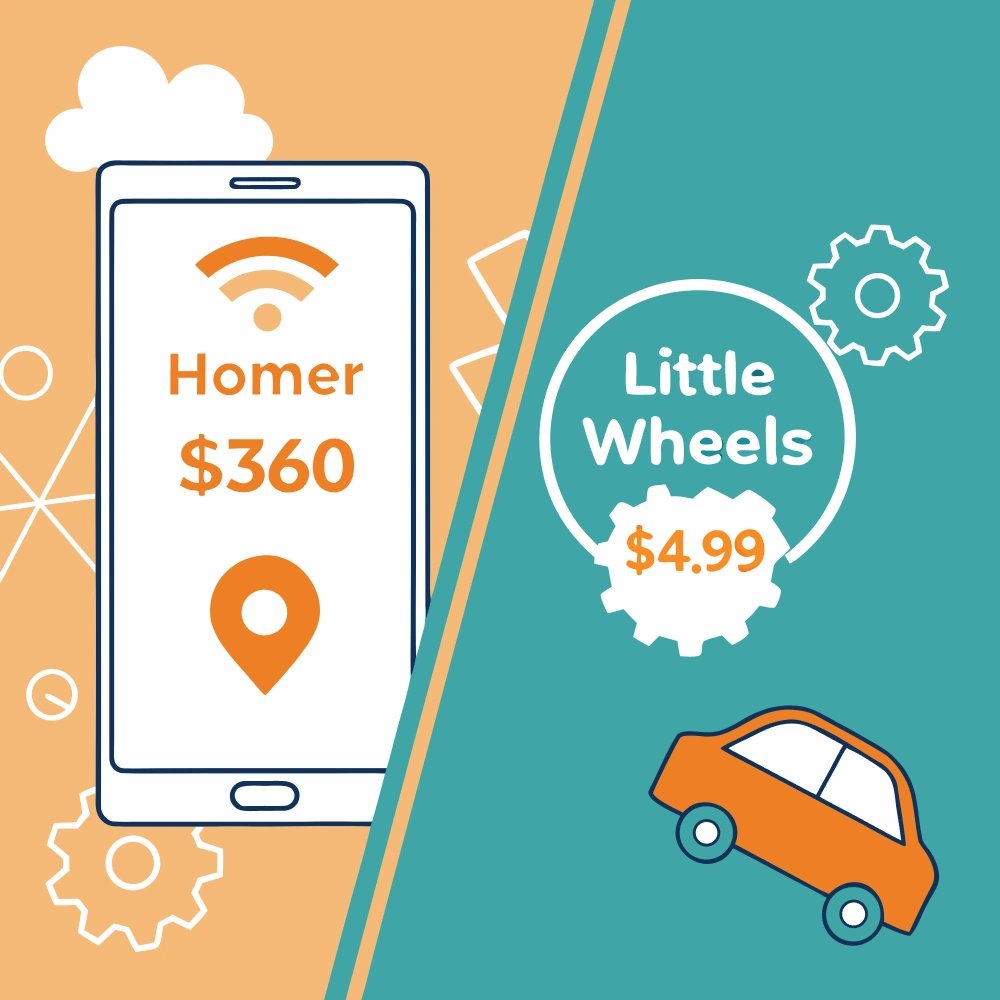
Free trials with autopay convert to paid subscriptions without warning. Avoid apps requiring credit cards for 'verification.' Set calendar reminders 2 days before trial ends. Better: choose apps with no trials needed—Little Wheels apps ($4.99-$7.99) have no subscriptions or trials, just one-time purchases you own forever.
Let's talk about a scenario that's happened to thousands of parents. You're browsing apps for your toddler. You find one that looks perfect—great reviews, cute interface, exactly what you need. It offers a "free trial."
Perfect! You sign up. Your child plays with it twice. You mean to cancel but life gets busy—work deadlines, toddler meltdowns, just general parenting chaos. Three weeks later: surprise charge. $14.99. Gone from your account.
You feel foolish. You forgot. That's on you, right?
Wrong. This isn't accidental. It's designed. Free trial conversion with automatic billing is a business model, and subscription apps use sophisticated psychological tactics to ensure you forget, miss the deadline, or find cancellation too difficult.
How Autopay Free Trial Traps Work
Understanding the mechanisms helps you avoid them.
The Payment Info Requirement + Automatic Billing
A genuinely free trial doesn't need your credit card. Khan Academy Kids is actually free—no payment info required, ever. PBS Kids Video is actually free—download and use, no credit card.
When a subscription app requires payment information for a "free" trial with automatic billing enabled, that's your first red flag. They're not verifying you're a real person. They're setting up the infrastructure to charge you automatically without additional consent.
The psychological effect matters too. Once you've entered payment info and enabled autopay, you've made a micro-commitment. You're more likely to stick with the app because leaving feels like wasting that effort.
Note: Some apps offer trials that simply paywall features after the trial period without requiring payment info or automatic charges. These are more ethical—you try the app, and if you want to continue, you actively choose to purchase. No surprise charges, no forgotten cancellations.
The Silent Conversion
Most subscription apps convert trials to paid subscriptions without warning. No email reminder. No app notification. No "your trial ends tomorrow" alert.
One day you're trialing. Next day you're charged. The transition is deliberately invisible.
The FTC's settlement with ABCmouse specifically addressed this issue—charging consumers who weren't adequately warned about trial expiration. Yet many subscription apps continue the practice, betting that most people won't complain or seek refunds.
The Short Window
Notice how many "free trials" with autopay last 3-7 days? That's barely enough time to download the app, let your toddler try it once or twice, and make an informed decision.
Short trials with automatic billing serve two purposes:
- They prevent you from truly evaluating whether the app is worth long-term subscription costs
- They increase the likelihood you'll forget to cancel before being charged
A parent-friendly trial would last 14-30 days—enough time to see real usage patterns. Or better yet, it would simply lock features after the trial without charging you, letting you decide if you want to purchase. Short autopay trials are conversion-optimization, not customer service.
The Confusing Terms
Trial terms are often deliberately unclear:
- "Try free for 7 days then $9.99/month" - Does the charge happen on day 7 or day 8?
- "Cancel anytime!" - They mean before the trial ends, but it sounds like you can cancel after being charged
- "Free trial starts today" - Does it end 7 days from now or 7 days from activation?
- "No charges during trial" - But what about immediately after? No warning?
This ambiguity isn't accidental. Clear terms would reduce conversion rates. Confusion increases them.
Common Free Trial Dark Patterns
"Dark patterns" are user interface design choices that trick users into doing things they don't intend. Subscription free trials are full of them.
Pattern 1: The Immediate Charge
Some subscription apps charge your card immediately but give you "credits" or "account balance" to use during the trial. You've already paid, but it's framed as a trial.
This ensures they have your money even if you cancel. Getting refunds requires effort—and many people won't bother for $9.99-14.99.
Pattern 2: The Difficult Cancellation Path
Remember how easy it was to start the trial? One tap, Face ID, done.
Now try to cancel:
- Navigate to app settings (not in the app—in your phone's system settings)
- Find subscriptions (sometimes buried under multiple menus)
- Locate the specific app (could be listed under a different name)
- Tap cancel
- Confirm you want to cancel
- Answer why you're cancelling
- Decline the "special offer" to stay subscribed
- Confirm again that yes, you really want to cancel
Every additional step reduces cancellation rates. This friction is intentional.
Pattern 3: The Feature Lock
Some apps show locked features prominently during trials. Your child sees content they can't access. They ask repeatedly. You're worn down.
You subscribe not because you love the app, but because saying "no" to your toddler 47 times is exhausting. That's manipulative design targeting your parental guilt and exhaustion.
Pattern 4: The Early Conversion
Some subscription apps convert trials early if you use certain features or if you don't actively use the app. "Oh, you didn't open the app for 3 days? The company assumed you wanted to subscribe!"
No warning, just early charges. Then when you complain, they claim it was "clearly stated in the terms" (buried in paragraph 47 of the user agreement).
Pattern 5: The No-Cancellation Window
Some subscription apps don't let you cancel during the trial—you have to wait until after you're charged, then cancel before the next billing cycle.
This ensures they get at least one month of payment from you even if you knew immediately the app wasn't right for your family.
Real Parent Stories
These aren't hypothetical scenarios. Real families experience these autopay traps regularly.
The "I Thought I Cancelled" Parent
"I was sure I cancelled. I remember tapping through screens. But I got charged anyway. When I checked, it said I'd only 'paused' the subscription, not cancelled it. The difference wasn't clear at all."
Apps sometimes offer "pause" options alongside cancel options, hoping confused users will choose pause (which still results in charges after the pause period).
The "3-Day Trial Wasn't Enough" Parent
"My daughter tried the app once. I wanted to see if she'd use it again but got busy. Three days isn't enough time to know if a toddler will consistently engage with something. By day 4, I was charged $12.99."
Short trials combined with automatic billing and busy parent schedules create the perfect conversion storm.
The "I Didn't Know It Was A Trial" Parent
"The app just said 'Download Free.' I didn't realize 'free' meant a trial with autopay. I thought it was actually free. Seven days later, $14.99 charge. I was furious."
Ambiguous language around "free" is deliberately misleading. Actually free apps don't require payment info. Autopay trial apps do.
How to Protect Yourself
You can use free trials safely with proper protection strategies—or better yet, avoid autopay trials entirely.
Strategy 1: Immediate Calendar Reminder
The moment you start a trial with autopay, create a phone calendar reminder for 2 days before it ends. Not the day it ends—two days before. This gives you buffer time if you're busy when the reminder triggers.
Title it clearly: "CANCEL [APP NAME] TRIAL - EXPIRES [DATE]"
Don't trust yourself to remember. You won't. That's what the subscription app is counting on.
Strategy 2: Screenshot Everything
Immediately after starting a trial:
- Screenshot the trial terms (including expiration date and autopay details)
- Screenshot the confirmation email
- Screenshot the subscription listing in your app store settings
If the app charges you incorrectly or claims different terms, you have documentation for refund requests.
Strategy 3: Cancel Immediately
Many subscription apps allow you to cancel a trial immediately while still giving you access for the full trial period. Test this:
Sign up. Immediately go to subscriptions and cancel. If you keep trial access, perfect—you're protected from forgetting. If cancellation ends access immediately, you can always re-subscribe if you decide the app is worth it.
Strategy 4: Use Virtual Cards
Some credit card companies (and services like Privacy.com) let you create virtual card numbers with spending limits. Create a card with a $1 limit specifically for free trials.
When the app tries to charge you $14.99, the card declines. You get a notification and can decide whether to provide real payment info.
Strategy 5: Check Daily During Trial
Yes, this is annoying. But during active trials with autopay, check your app store subscriptions daily. Look for unexpected changes:
- Trial converted early
- Renewal date changed
- Price different than expected
Daily checks catch problems before charges hit your account.
Strategy 6: Read Reviews About Cancellation
Before starting any trial, read recent reviews (last 30 days) searching for words like "cancel," "charged," "trial," "refund," "autopay."
If multiple reviews mention difficulty cancelling or unexpected charges, skip that app entirely. Where there's smoke, there's usually fire.
Apps That Do Trials Right
Not all trials are predatory. Some companies use them ethically.
What Ethical Trials Look Like
- No payment info required: Try the app fully without entering credit card details
- Paywall instead of autopay: After trial, features lock until you actively choose to purchase—no automatic charges
- Clear end date: "Trial expires on [specific date] at [specific time]"
- Advance warning: Email or app notification 2-3 days before trial ends (if autopay is involved)
- Easy cancellation: Cancel button prominently placed in app itself (for subscription trials)
- Reasonable duration: 14-30 days for genuine evaluation, or 3-7 days if it's just a paywall (not autopay)
- Actually free option: Genuinely free tier exists alongside paid options
Companies implementing these practices aren't trying to trick you. They're confident their app will sell itself during a fair trial period.
The Better Alternative: Skip Autopay Trials
Here's a radical idea: avoid free trials with automatic billing entirely. Especially for kids' apps.
Instead:
- Use genuinely free apps (Khan Academy Kids, PBS Kids) with no trials at all
- Try apps that offer trials without requiring payment info—they simply paywall after the trial
- Buy one-time purchase apps you own forever
- Read reviews and watch demo videos to evaluate apps before buying
- Accept that occasionally you'll buy an app your child doesn't love—at $5-10, that's less risky than a $120/year subscription with autopay
The $4.99 you might "waste" on a buy-once app your child doesn't love is nothing compared to forgetting to cancel an autopay trial and paying $14.99/month for three months ($44.97) before noticing.
What to Do If You Get Trapped
It happened. You forgot. You got charged. Now what?
Step 1: Cancel Immediately
Don't wait. Even if you're charged for this month, cancel now to prevent next month's charge. Cancel first, sort out refunds second.
Step 2: Request a Refund
Contact the app developer first (not the app store—go directly to the company). Be polite but firm:
"I signed up for a free trial on [date]. I intended to cancel but forgot due to [brief reason]. I was charged $[amount] on [date]. I'm requesting a full refund as this was an unintended charge. I've now cancelled the subscription."
Many companies refund first-time mistakes, especially if you request within a few days of being charged.
Step 3: App Store Refund Request
If the developer refuses or doesn't respond within 48 hours, request a refund through the app store:
- iPhone: reportaproblem.apple.com
- Android: Google Play Store > Account > Purchase history > Report a problem
Explain the situation clearly. App stores often grant refunds for subscription mistakes, especially first-time requests.
Step 4: Credit Card Dispute
If both the developer and app store refuse refunds, dispute the charge with your credit card company. Provide documentation:
- Screenshots of trial terms
- Evidence of confusing or deceptive practices
- Proof you cancelled promptly after discovering the charge
Credit card companies side with cardholders more often than merchants, especially for subscription disputes.
Step 5: Report to FTC
If you believe the app used deceptive practices, report it to the FTC at reportfraud.ftc.gov. Individual reports may not lead to immediate action, but patterns of complaints trigger investigations.
The FTC's action against ABCmouse came after numerous consumer complaints. Your report contributes to future enforcement.
The Bottom Line: Autopay Trials Aren't Worth the Risk
Free trials with automatic billing in kids' apps are designed to convert into paid subscriptions, often through manipulation and dark patterns. The "free" period isn't a gift—it's a conversion funnel.
For most families, the risks outweigh the benefits:
- Risk of forgotten cancellation and unwanted charges
- Risk of confusing terms leading to early conversion
- Risk of difficult cancellation processes
- Mental overhead of tracking trial expiration
Better alternatives exist:
- Actually free apps with no trials (Khan Academy Kids, PBS Kids)
- Trials that simply paywall features without requiring payment info or autopay
- One-time purchase apps with clear, upfront pricing
- Apps from developers committed to transparent pricing
If you do use autopay trials despite the risks, protect yourself: calendar reminders, screenshots, immediate cancellation when possible, and daily monitoring.
But honestly? Just skip autopay trials entirely. Your peace of mind is worth more than access to another app with predatory pricing tactics.
Choose apps that respect families from the start—apps like Little Wheels Talk & Listen ($4.99 once, with a 7-day trial that simply paywalls without autopay) and Create & Play ($4.99 once) that charge fairly upfront and never trap you with automatic billing, subscriptions, or surprise charges.
Your wallet—and your stress levels—deserve better than autopay free trial traps.
 Frequently Asked Questions
 Ad-free & offline ready