If you are primarily deciding which toddler speech apps to recommend for home practice, start with SLP-Recommended Toddler Speech Apps for Home Practice and then come back here to design your full digital materials kit.
What makes mobile speech therapy harder than clinic work?
Speech-language pathologists working in early intervention, home health, or traveling school positions face unique logistical challenges that clinic-based SLPs don't encounter:
- Weight and volume: Carrying enough materials for diverse needs across multiple daily sessions
- Organization: Keeping track of which materials you've used with which children
- Wear and tear: Physical books and cards deteriorate quickly with heavy use
- Hygiene: Sanitizing shared materials between sessions, especially during illness season
- Weather exposure: Running materials between car and homes in rain, snow, heat
- Home environment adaptation: Working in varied spaces (floors, couches, kitchens) without clinic furniture
Ask any travelling SLP about their back. Hauling flashcards, manipulatives and binders between schools all day is a physical job, and it is the part nobody mentions in training.
And here's the catch: despite all this physical burden, mobile SLPs still run into situations where they don't have the right material for a particular child's needs that day.
Can digital materials replace a mobile SLP's carry bag?
Digital materials don't solve every challenge of mobile therapy—you still need your clinical skills, session planning, and ability to adapt in the moment. But they solve the logistics beautifully.
One tablet weighing 1 pound can carry:
- Hundreds of picture books
- Thousands of articulation cards
- Interactive activities
- Video models
- Data collection tools
- Assessment materials
For mobile work specifically, Talk & Listen offers several advantages for traveling speech therapists:
Completely offline functionality
Once downloaded, everything works without internet. No worrying about whether a home has Wi-Fi, whether you're in a rural area with poor cell service, or whether streaming will drain your data plan.
Vehicle theme has near-universal appeal
Across ages 18 months to 5 years, across genders, across different interests—vehicles engage the vast majority of toddlers and preschoolers. This reduces the need to carry multiple themed materials.
Multiple difficulty levels built in
Vehicle Tales stories have three reading levels (simple, intermediate, advanced). Use the same story with different children at developmentally appropriate levels.
No consumables or wear-out
Unlike physical books that get torn, sticky, or worn, digital materials stay pristine indefinitely. No replacement costs.
Easy sanitization
Wipe tablet screen with alcohol wipe between sessions. Much simpler than sanitizing cloth books or laminated cards.
How do you use a tablet inside a mobile therapy session?
Here's how mobile SLPs are using Talk & Listen effectively:
Session Opening: Engagement and Rapport
"Let's see what vehicles we have today!" Letting the child explore the vehicle cards builds engagement while you observe their interests, phoneme production attempts, and interaction style. This gives you assessment data while establishing rapport.
Articulation Practice: Target Sound Drill
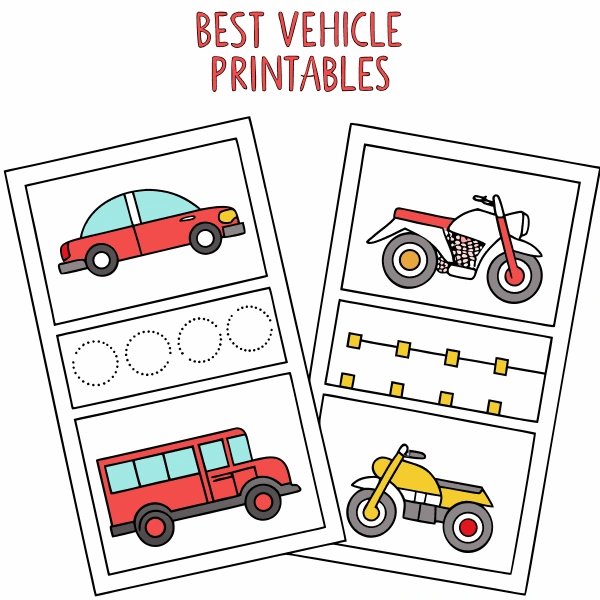
Identify vehicles containing target phonemes. For /k/: car, truck, tractor, forklift. For /f/: fire truck, forklift, leaf blower. Use the vehicle cards as stimuli for structured practice: "Show me the fire truck. Say 'fire truck.' Say it again. Let's make the fire truck sound!"
Receptive Language: Following Directions
"Find the red vehicle. Show me the vehicle with a ladder. Point to the vehicle that helps sick people." The visual array of vehicle cards provides rich receptive language targets.
Expressive Language: Description and Narration
"Tell me about this vehicle. What does it do? What sound does it make?" Progress to story retells using Vehicle Tales: "What happened in the ambulance story?"
Phonological Awareness: Sound Identification
"What sound does fire truck start with? /F/! What other vehicles start with /f/?" The phoneme soundboard provides models for sound isolation activities.
Session Closing: Reinforcement and Home Connection
"Great work today! Ask mom or dad to download this app so you can practice at home." This creates carryover without you needing to print or send physical materials.
Is screen use appropriate in speech therapy?
"Won't screen time during therapy send the wrong message?"
Context matters. Educational, interactive app use during structured therapy is fundamentally different from passive entertainment screen time. You're using technology as a tool, not as a babysitter.
Most parents appreciate seeing high-quality educational apps modeled appropriately. You're showing them what "good" screen time looks like—interactive, language-rich, purposeful.
"What about children who have limited screen time at home?"
Respect family screen time rules. Ask parents: "We sometimes use tablet-based materials during sessions. Is that okay with your family?" If they prefer not, you can still carry a small backup kit of physical materials for those specific families.
In practice, most families understand the distinction between therapeutic use and recreational screen time.
"I'm worried about children becoming too dependent on the app"
Like any therapy material, digital resources are scaffolds—not crutches. You control how and when the app is used. It's one tool among many in your treatment approach.
Plan sessions that include app-based activities and traditional activities: vehicle app for articulation practice, then movement-based play for motor speech, then book-based narration. Variety prevents over-reliance on any single modality.
How do you document progress when materials are digital?
Some SLPs worry about how using apps appears in documentation or to supervisors. Here's how to address this professionally:
In session notes
"Used Talk & Listen vehicle cards to elicit target /k/ productions in initial position. Child demonstrated 70% accuracy across 20 trials with visual and auditory models provided by app."
You're documenting the activity and the outcome—same as you would with physical cards.
In progress reports
"Materials used include: articulation cards (digital and physical), picture books (digital and physical), play-based activities, parent coaching."
Digital materials are simply one delivery format for evidence-based content.
When explaining to families
"I use a variety of materials depending on what works best for your child. This app provides consistent, high-quality vehicle sounds and stories that I can use across sessions, and you can access the same materials at home for practice."
Is a digital toolkit cheaper than printed materials?
Let's do the math on physical vs. digital materials for mobile SLPs:
Physical Materials Cost
- Articulation card sets: $30-50 each (need 3-4 phoneme sets = $120-200)
- Picture books: $15-25 each (need 10-15 = $150-375)
- Reinforcement toys: $30-100
- Lamination supplies: $50/year
- Storage containers: $30
- Replacement costs: ~$100/year as materials wear out
Total initial investment: $480-855
Annual replacement: ~$100
Digital Materials Cost
- Talk & Listen app: $4.99 (one-time)
- Tablet (if needed): $200-400 (one-time, lasts 3-5 years)
- Screen protector: $15
Total initial investment: $220-420
Annual replacement: $0 (apps don't wear out)
Even including tablet purchase, digital materials cost less initially and eliminate ongoing replacement costs. If you already own a tablet, the investment is under $5.
What do you need to set up a digital therapy toolkit?
Here's a practical setup process for mobile SLPs and traveling therapists:
Device Selection
iPad or Android tablet with 10-12 inch screen. Larger is better for showing visuals to children. Ensure good battery life (8+ hours).
Essential Apps
- Talk & Listen for vehicle-based articulation and language
- Data collection app of your choice (or paper sheets)
- Timer app for pacing sessions
- Note-taking app for session documentation
Organization
Create folders on your device: "Articulation," "Language," "Phonological Awareness," "Stories." Keep your home screen uncluttered with only therapy-relevant apps visible.
Backup Plan
Keep a small emergency kit in your car: 10 laminated articulation cards, 2 small board books, bubbles, play-doh. For the rare tech failure or family that prefers no screens.
Training and Competency
Using apps therapeutically is a learned skill. Here's how to build competency:
Explore thoroughly before using with clients
Spend 30-60 minutes exploring all features, trying all interactions, understanding the content. You should know the app better than any child you work with.
Plan specific activities
Don't just "use the app"—design structured activities: "I'll have child find all vehicles with /k/ sounds, then practice each one 5 times, then retell the tractor story."
Observe child engagement
Notice what features capture attention, what causes frustration, how long engagement lasts. Adjust your approach based on observation.
Seek peer feedback
Ask colleagues how they integrate apps into mobile work. Share strategies. Learn from experienced digital-tool users.
How do you get families to practice between sessions?
One of the biggest advantages of using widely available apps: parents can access the exact same materials you use in therapy.
Instead of:
- Photocopying worksheets
- Lending physical materials (that often don't return)
- Writing detailed descriptions of activities
- Hoping parents remember what you showed them
You can simply say: "Download Talk & Listen. The activities we did today are in the Vehicle Tales section. Your child especially loved the fire truck story."
Parents appreciate concrete, actionable recommendations. An app name and clear instructions beat vague "practice at home" guidance. Learn more about how daily home practice rituals support speech development.
The Future of Mobile Therapy
Digital materials aren't replacing SLPs—they're removing logistical barriers so SLPs can focus on what they do best: assessment, treatment planning, skilled intervention, and family coaching.
The traveling therapist of 2025 doesn't need a trunk full of materials. They need:
- Clinical expertise
- One tablet with curated apps
- Small backup kit
- Flexibility and creativity
Everything else is just weight.
Bottom Line for Mobile SLPs
If you're spending mental energy managing physical materials—organizing, carrying, sanitizing, replacing—you're using energy that could go toward clinical thinking.
Digital tools won't work for every child or every session. But for the majority of your mobile caseload, they'll reduce logistics while maintaining (or improving) engagement and outcomes.
Your back will thank you. Your schedule will thank you. And your clients will get the same quality intervention—just delivered more efficiently.