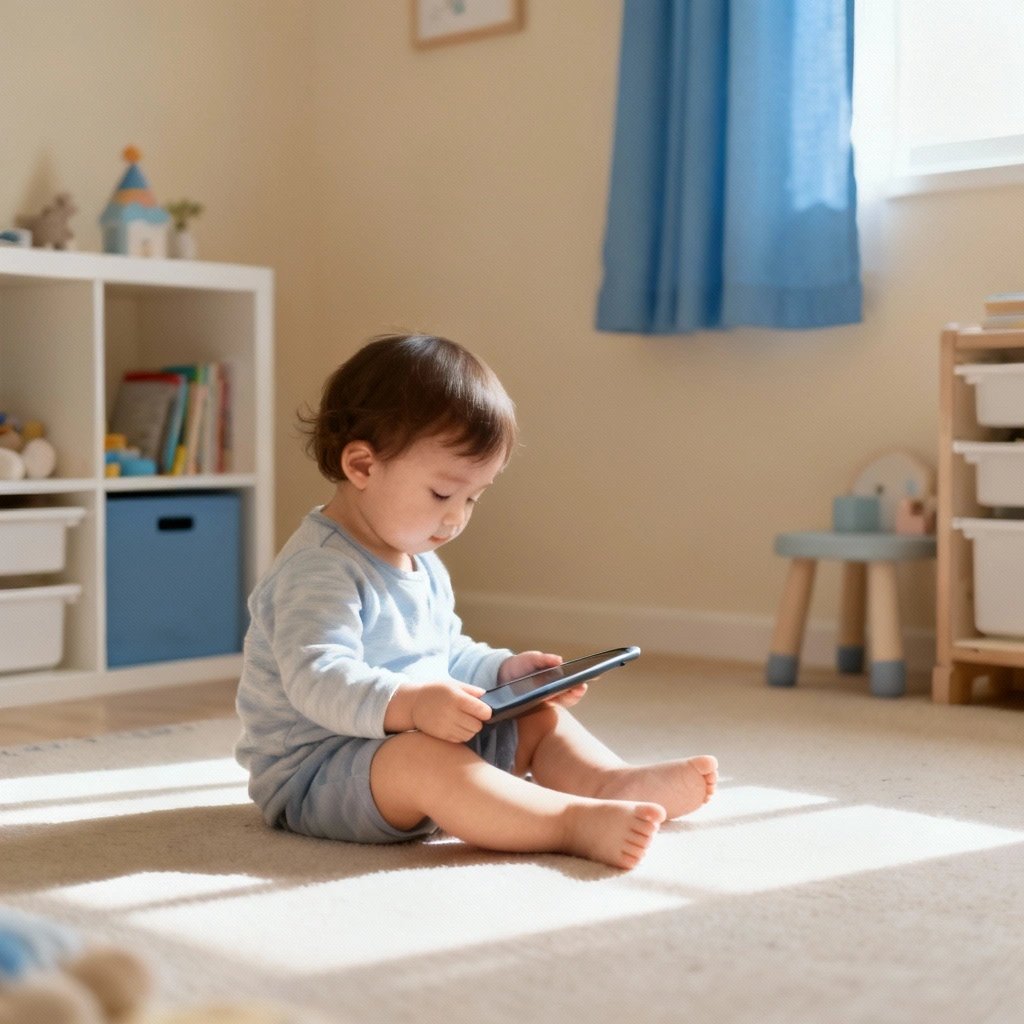
What are the best ad-free apps for toddlers?
Look for apps that make money from a clear price—not from advertising. Strong ad-free picks include Little Wheels Talk & Listen and Create & Play for ages 2–6, plus trusted one-time-purchase options like Endless Alphabet, Busy Shapes, and select Toca Boca and Sago Mini titles.
For daycares & preschools
If you're a daycare director or preschool teacher, ad-free apps matter even more. One ad-supported app on a shared classroom tablet can expose every child to marketing messages and accidental purchases.
A small set of ad-free, buy-once apps is usually cheaper and calmer for classrooms than a mix of "free" apps with ads and subscriptions. If you want a deeper breakdown of classroom use, I put everything on a dedicated page for educators.
See the daycare & preschool circle time overview for how Little Wheels works on shared tablets, bulk licensing options, and free vehicle lesson plans you can send home.
There's a better way. Ad-free apps exist. They cost $3-10 once, work beautifully, and never interrupt your child's learning with advertising manipulation.
Quality ad-free apps cost $3-10 once and deliver better outcomes without exploitation. Research shows ads in toddler apps disrupt attention development by 40-50% and create materialistic values.
- Research finding: Ads reduce learning by 40-50%
- Privacy protection: No behavioral data harvesting
- Better focus: Zero interruptions or manipulation
- One-time purchase: $5-10 once beats 'free' with hidden costs
Source: Developmental Psychology Research, 2020-2024
Trusted kids apps no outside links no ads
Toddler games without ads
best educational apps for kids no ads 2025
Trust checklist (what "ad‑free" should mean)
- No third‑party ads or cross‑promotions
- No outside links to web or app stores from kid screens
- One‑time price (no subscription traps)
- Works fully offline after download
- No personal data collection for advertising
This guide explains why ads harm toddlers, how "free" apps actually cost more than paid alternatives, and how to build a quality ad-free app library that respects your child's development and your family's privacy.
Why Are Ads in Toddler Apps Harmful?
Ads in adult apps are annoying. Ads in toddler apps are actively harmful.
Cognitive Disruption
Toddlers (18 months to 4 years) are building foundational cognitive skills. Their attention spans are developing. Their ability to focus on tasks is emerging. Their capacity to ignore distractions is forming.
Ads disrupt all of this:
- Attention fragmentation: Just as your child focuses on a learning activity, an ad interrupts. This trains attention-switching rather than sustained focus.
- Task abandonment: Ads break the flow state needed for deep engagement. After interruption, toddlers often abandon the task entirely.
- Frustration and confusion: Toddlers don't understand why their activity stopped. The interruption creates confusion about cause and effect.
- Accidental exits: Toddlers tap ads unintentionally, leaving the app entirely. They can't easily return to what they were doing.
Every ad interruption is a micro-disruption to development. Multiply by dozens of ads per session, and the impact becomes significant.
Behavioral Manipulation
Ads to toddlers are designed to manipulate behavior:
- Bright colors and loud sounds: Ads use stimulation that demands attention, training kids to respond to sensory overload
- Cartoon characters: Familiar characters used to sell products create confusion between content and advertising
- Repetitive messaging: "Ask your parents!" or "Get it now!" repeated hundreds of times shapes behavior
- Desire creation: Ads deliberately create wants for products, toys, and apps kids didn't know existed
This isn't education. It's conditioning toddlers to respond to commercial messaging before they can understand what advertising is.
Age-Inappropriate Content
Despite targeting regulations, toddler app ads frequently show:
- Other apps with content too advanced or scary for toddlers
- Products (toys, snacks) marketed with tactics inappropriate for young children
- Fast-paced, aggressive imagery that overwhelms rather than engages
- Characters from media meant for older kids that toddlers shouldn't be exposed to yet
You carefully curate what your toddler watches and plays with. Ads circumvent that curation, exposing your child to content you haven't approved.
Privacy Invasion
Ad-supported apps collect data:
- Usage tracking: What your child taps, how long they engage, which activities they prefer
- Behavioral profiling: Building profiles of your child's interests and responses
- Advertising IDs: Persistent identifiers tracking your child across apps and devices
- Location data: Some apps share location with advertising partners
This data collection violates children's privacy and is often illegal under COPPA. Yet enforcement lags, and violations continue because ads are profitable. Many popular apps are also headquartered overseas—from Slovenia to Turkey—where your child's data flows to different jurisdictions with varying privacy protections.
What's the Real Cost of "Free" Apps?
Free apps aren't free. You pay—just not with money upfront.
The Attention Tax
Estimate 30 seconds per ad interruption (video ads run 15-30 seconds, plus recovery time). If your child encounters 10 ads in a 30-minute session, that's 5 minutes of disruption—nearly 17% of app time spent on advertising, not learning.
Multiply across weeks and months. Your child loses hours to advertising that could have been learning time.
The Accidental Purchase Tax
Toddlers tap ads accidentally. Often this opens purchase pages or app stores. Sometimes it initiates actual purchases.
Common scenarios:
- Subscription sign-ups your child tapped through without understanding
- In-app purchases for gems/coins/characters
- Downloads of other apps (filling your device with junk)
- Charges to your credit card requiring refund requests
One accidental $9.99 purchase equals the cost of two quality ad-free apps. Many parents experience multiple accidental purchases before figuring out how to prevent them.
The Upsell Trap Tax
Free apps with ads often use ads to push their own premium subscriptions:
- "Remove ads for $4.99/month!"
- "Unlock all content with subscription!"
- "Go ad-free today!"
These aren't just ads—they're conversion funnels. The free version deliberately frustrates to push paid subscriptions. You end up paying $60/year to remove ads from an app that could have cost $5 once.
The Stress Tax
Dealing with ad-supported apps creates ongoing stress:
- Constant vigilance to prevent accidental purchases
- Frustration from interrupted learning sessions
- Arguing with your child about "but I want that!" from ads
- Time spent requesting refunds and managing purchases
- Worry about what content ads might expose your child to
This mental and emotional cost is real, even if it doesn't show up on credit card statements.
How Can You Identify Truly Ad-Free Apps?
Not all apps claiming to be ad-free actually are. Here's how to verify.
App Store Signals
Green flags (truly ad-free):
- "No ads" or "No advertisements" explicitly stated in description
- "No in-app purchases" tag (apps can't sell ad removal if there are no purchases)
- One-time purchase price clearly listed (not free with premium tier)
- Developer statement about being "ad-free from day one" or "we hate ads"
- No free version—paid only means no ads to anyone
Red flags (likely has ads):
- "Free" with "in-app purchases" tag
- "Remove ads" listed as an in-app purchase option
- "Premium" or "Pro" versions mentioned (implies free version has ads)
- No mention of ads in description (silence usually means ads exist)
- Phrases like "optional ads for rewards" (still ads, still manipulative)
Review Analysis
Read reviews filtering for keyword "ads":
- If multiple recent reviews complain about ads, they're intrusive
- If reviews mention "too many ads" or "constant ads," avoid
- If reviews say "worth paying to remove ads," consider buying truly ad-free alternatives instead
- If reviews specifically praise "no ads!" that's positive confirmation
Developer Values Check
Check if the developer has an about page or website explaining their approach:
- Genuine ad-free developers say things like: "We build apps the way we'd want for our own kids—no ads, ever." or "Funded by fair pricing, not advertising."
- Ad-supported developers say things like: "Download free and upgrade to premium for ad-free experience!" or vague nothing about monetization.
Developers proud of being ad-free state it prominently. Developers using ads hide it or frame it as "optional."
How Do You Build an Ad-Free App Library?
Replace ad-supported apps systematically with quality alternatives.
Category-by-Category Replacements
Speech & Language (Ad-Free Options):
- Little Wheels Talk & Listen ($4.99): 100+ vehicles for speech practice, no ads, completely offline
- Articulation Station Hive (subscription, parent $9.99/mo or $83.99/yr; SLP Pro $14.99/mo or $119.99/yr): Professional SLP content, no ads, but now sold as a subscription rather than a one-time app
- Compare to free speech apps with constant ad interruptions every 2-3 minutes
Creative Play (Ad-Free Options):
- Little Wheels Create & Play ($4.99): DJ mixing, sticker physics, art—all ad-free
- Sago Mini apps ($2.99-4.99 each): Charming creative scenarios, no ads
- Compare to free art apps where every tool requires watching an ad to unlock
Early Learning (Ad-Free Options):
- Khan Academy Kids (FREE): Actually free, genuinely no ads, nonprofit model
- Endless Alphabet ($8.99): Letter learning, no ads, one-time purchase
- Compare to ABCmouse and similar with aggressive subscription upsells every session
The $25 Ad-Free Collection
Build a complete ad-free library for less than the cost of one month of typical subscriptions:
- Speech development: Little Wheels Talk & Listen ($4.99)
- Creative play: Little Wheels Create & Play ($4.99)
- Letter recognition: Endless Alphabet ($8.99)
- Comprehensive learning: Khan Academy Kids (FREE)
- Total: $17.97
These apps will never show your child an ad. Never interrupt learning. Never expose inappropriate content. Never collect data for advertising. Never require subscription upgrades.
Compare to free apps where your child sees 50-100 ads weekly, creating dozens of opportunities for accidental purchases, behavioral manipulation, and privacy invasion.
Why Does Ad-Free App Development Matter?
Understanding why developers choose ad-free models helps you support them.
The Ad-Free Business Model
Ad-free developers make money through:
- Fair upfront pricing: $3-10 one-time purchases
- Reputation and word-of-mouth: Quality drives recommendations
- Sustainable steady sales: New parents discover quality apps continuously
This model only works if:
- The app is genuinely good enough that parents recommend it
- Enough parents choose quality over "free"
- Developers maintain apps long-term through reputation
Why Some Developers Use Ads
Understanding the ad model helps you avoid its traps:
- Lower barrier to entry: Parents download "free" apps more readily
- Maximize user base: More users = more ad revenue, even if individual users pay nothing
- Continuous revenue: Ads generate ongoing income without relying on new purchases
- Venture capital preference: Investors favor ad models because they scale
The ad model prioritizes user acquisition over user benefit. Free apps need massive user bases to generate significant ad revenue—your child's experience is optimized for ad impressions, not learning outcomes.
The Ethics of Ads in Kids' Apps
Many developers refuse to use ads in children's apps on principle:
"I have my own kids. I hate ads in apps they use. I won't subject other parents' kids to what I won't subject my own to. We charge fair prices and build great apps. That's the model."
—Sean Record, Little Wheels developer
This ethical stance produces better apps because:
- Design optimizes for child benefit, not ad impressions
- No incentive to artificially extend usage time
- No data collection requirements
- Clear alignment between developer success and family satisfaction
What Are the Common Objections to Paid Apps?
"But My Child Likes Free Apps"
Your child likes the apps, not the ads. They don't distinguish between learning activities and advertising manipulation.
Offer them ad-free alternatives. Most kids adapt within days once freed from constant interruptions.
"I Can't Afford to Buy Apps"
Calculate what you're actually paying for "free" apps:
- Time dealing with ad interruptions
- Accidental purchases requiring refunds
- Eventually paying for "premium" to remove ads anyway
One accidental $9.99 purchase equals nearly two ad-free apps. The math usually favors buying quality upfront.
If money is genuinely tight, Khan Academy Kids is actually free with no ads—nonprofit model makes it viable. Start there before considering paid options.
"Ads Teach Kids About Media Literacy"
Toddlers (18 months to 4 years) can't understand advertising as a separate category. They lack the cognitive development to recognize persuasive intent.
Media literacy education is valuable—for school-age children who can understand the concepts. Exposing toddlers to advertising manipulation doesn't teach literacy; it trains susceptibility.
"Premium Versions Remove Ads"
Apps designed around ads often have other problems even in premium tiers:
- Data collection continues (ads removed, tracking remains)
- Manipulative design persists (psychological pressure to upgrade further)
- Locked content behind additional paywalls
- Lower quality because development focused on conversion funnels, not core experience
Apps built ad-free from the start typically have better values and design throughout.
What Device Settings Help Protect Against Ads?
While you transition to ad-free apps, protect your child from ad-related issues.
Purchase Restrictions
iPhone/iPad:
- Settings > Screen Time > Content & Privacy Restrictions
- Enable restrictions, set passcode
- iTunes & App Store Purchases > Require Password: Always
- In-app Purchases > Don't Allow
Android:
- Google Play Store > Settings
- Require authentication for purchases > For all purchases through Google Play on this device
- Set password or fingerprint requirement
Ad Tracking Limitation
iPhone/iPad:
- Settings > Privacy & Security > Tracking
- Allow Apps to Request to Track > OFF
- Settings > Privacy & Security > Apple Advertising
- Personalized Ads > OFF
Android:
- Settings > Google > Ads
- Opt out of Ads Personalization > ON
- Reset advertising ID
These settings reduce ad targeting but don't eliminate ads. Only ad-free apps truly solve the problem.
What's the Bottom Line on Ad-Free Apps?
Ads in toddler apps:
- Disrupt cognitive development through attention fragmentation
- Manipulate behavior before children can understand advertising
- Expose kids to age-inappropriate content
- Invade privacy through extensive data collection
- Cost more than ad-free alternatives when accounting for hidden costs
Ad-free apps:
- Cost $3-10 once (less than one month of typical subscriptions)
- Never interrupt learning or manipulate behavior
- Respect children's development and families' privacy
- Deliver better learning outcomes through uninterrupted engagement
- Save money compared to "free" apps with hidden costs
The choice is clear. Your child deserves apps that respect their development rather than exploit their attention for advertising revenue.
Start with one replacement. Experience the difference. Then systematically build an ad-free library that serves your family instead of advertisers.
Apps like Little Wheels prove quality apps can exist without ads, subscriptions, or exploitation. Choose apps built for children, not built for advertising impressions.
Your child's attention, development, and privacy are worth more than free apps cost.
People Also Ask
Why are free apps bad for toddlers?▼
Free apps monetize through ads, data collection, or manipulative design. Ads disrupt learning (40% less retention), collect behavioral data, and use psychological tactics to maximize engagement over education. Ad-free apps align incentives with child development, not ad impressions.
Are paid apps really better than free ones?▼
Quality paid apps typically offer better user experiences, stronger privacy protections, and focus on learning over engagement metrics. One-time purchase apps ($2.99-$9.99) provide better long-term value than 'free' apps with hidden costs.